DooDoo.Love

Aircraft Flying Simulator

Loading the game frame…

Report a problemReloading may reset your progress.
  • Runs in the browser
  • No sign-in
  • Download ≈ 0.1 MB (engine + code)
  • Built with Unity WebGL
  • Controls: keyboard + mouse
Rate this game:· Saved on this device only
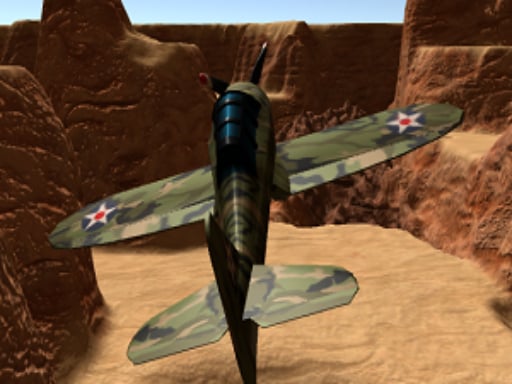
A steady throttle and gentle climb mark the opening moments of Aircraft Flying Simulator, where the controls respond with surprising restraint for a browser-based title. The game offers a straightforward 3D environment that captures the basic sensations of piloting a small aircraft over pastoral landscapes. Visual fidelity is modest, but the open sky and rolling fields provide enough spatial cues to maintain orientation during flight. Despite its simplicity, the simulator demands careful attention to landing procedures, revealing that a casual approach often leads to abrupt terminations. The physics model errs on the forgiving side, yet the challenge lies in mastering the timing and gradual adjustments rather than quick reflexes. This subtle emphasis on smooth input contrasts with expectations for arcade-style flying games, making precision more about patience than speed. While it lacks advanced instrumentation or complex weather systems, the title succeeds in presenting a reliable flight loop that can hold interest without overwhelming the player. The controls avoid input lag, which is commendable for a browser environment, though the limited scenery variety could reduce long-term engagement. Expert Tip: Focus on gradual throttle changes and early alignment with the runway to avoid last-second corrections that often destabilize the landing approach.

How to Play Aircraft Flying Simulator

Controls vary by game — typically use arrow keys or WASD to move and mouse click or spacebar to perform actions. Follow on-screen instructions.

Browse more Simulation Games →Car Games →Running Games →3D Games →

Frequently Asked Questions

How do I play Aircraft Flying Simulator?

Open Aircraft Flying Simulator and follow the controls listed on its game page. Input methods and device support vary by game; check the device notes before playing.

Is Aircraft Flying Simulator free to play?

DooDoo.Love does not charge a site access fee to open Aircraft Flying Simulator. The game is supplied by a third party and may include advertising.

Can I play Aircraft Flying Simulator on my phone?

Mobile touch controls have not been verified for this build. Check the controls and device notes; a desktop browser may be required.

What type of game is Aircraft Flying Simulator?

Aircraft Flying Simulator is an immersive simulation game that lets you experience realistic scenarios. Make decisions that affect outcomes, manage resources, and see how your choices play out. You can find more Simulation games in our Simulation category on DooDoo.Love.

Comments