Unblocked Chromebook Games
10 HTML5 titles that load in typical school and office browsers.
Curated by DooDoo Editorial · Updated
School Chromebooks usually pair 4 GB of RAM with a strict ChromeOS environment where EXE installers, Chrome extensions, and heavy WebGL downloads time out before recess ends. Every title on this unblocked Chromebook shortlist meets our verifiable Chromebook-friendly check: non-Unity engine, core download under 3 MB, and working keyboard or mouse/trackpad controls in a plain HTTPS tab.
Our 10 unblocked picks
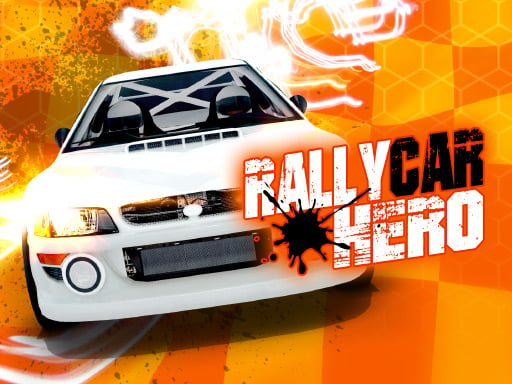
CreateJS racer weighing roughly 0.5 MB in core assets. Steer with arrow keys or WASD, save boosts for corner exits, and spend race coins on upgrades between circuits.
Companion 0.5 MB CreateJS stock-car championship focused on drafting through North American banked ovals with keyboard controls and coin-funded tuning.
Compact 0.1 MB plain HTML5 cue-sports table featuring Classic free play, 20 staged Arcade challenges, and a timed Time Attack mode via mouse or trackpad.
Clean 0.1 MB HTML5 number-merging puzzle where leaving space on the board matters more than chasing every immediate pair.
Lightweight 0.1 MB HTML5 3D maze runner with mouse-friendly route picking and collectible food detours to unlock costumes.
A 0.1 MB HTML5 lane-dodging runner controlled with arrow keys, easy to pick up on a school laptop trackpad or keyboard.
Mouse-steered 0.1 MB HTML5 .io worm arena where left-click speed boosts let you cut across rivals rather than grinding alone.
Friendly 0.3 MB HTML5 tile-connect puzzle replacing dense traditional characters with clear emoji-style icons suited to smaller Chromebook screens.
Full 2.5 MB HTML5 chess client offering legal-move highlights, undo, local timed modes, and 18 difficulty levels with move-by-move replay analysis.
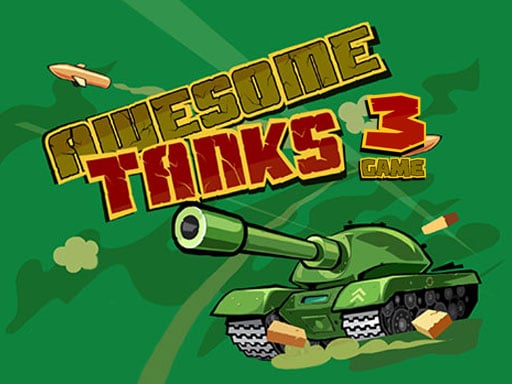
Construct 2 top-down tank shooter at roughly 1.8 MB core download, pairing WASD movement with mouse aiming and mobility upgrades.





Short-break vs. deep-play picks
Mini Pool 3D, Hamster Maze Online, and Kids Mahjong Connect let you finish a board or round in two to five minutes cleanly. Rally Car Hero, Stock Car Hero, and Awesome Tanks 3 reward longer upgrade runs when you have an uninterrupted free period, while Chess Free spans quick blitz clocks up to full 18-level AI matches.
Why HTML5 browser games load when others don't
On ChromeOS devices managed by school IT admins, standard HTML5, CreateJS, and Construct 2 bundles behave identically to interactive web assignments: they fetch small JavaScript and canvas assets over HTTPS with zero native binaries, zero Flash plugins, and minimal memory overhead.
A note on Acceptable Use Policies
Managed school Chromebooks belong to your district and follow its Acceptable Use Policy. Stick to sanctioned study-hall or break windows, keep tab audio muted, and respect any site rule set by your teacher or IT administrator.
FAQ
How does DooDoo.Love verify these games work on school Chromebooks?
Our static tech scanner measures engine type, core JS/WASM asset size, and control support on every page. All ten picks here use non-Unity engines (HTML5, CreateJS, or Construct 2), stay at or below 2.5 MB in core download, and support keyboard or mouse input.
Which Chromebook pick works best with only a trackpad?
Mini Pool 3D, M2 Blocks 2048, Kids Mahjong Connect, and Chess Free only need simple clicks or taps rather than rapid pointer flicks, making them comfortable on a laptop touchpad.
Why do heavy Unity WebGL games lag or fail on older Chromebooks?
Large Unity WebGL packages can pull 30 MB to 100+ MB of WASM and data files over shared school Wi-Fi and exhaust low-RAM tabs. Non-Unity 0.1–2.5 MB HTML5 builds boot cleanly in seconds.
Can I mute sound before launching a Chromebook game in the library?
Yes—right-click the browser tab in ChromeOS and select Mute site before pressing Play so the whole session stays silent.
More Unblocked Categories
More to explore
Browse the full Puzzle category, all unblocked games, the unblocked games guide, or the complete catalogue.